Automating Trade-In Payouts Without Switching Systems

Cullin McGrath
Chief Executive Officer

Running a trade-in program involves several steps, from valuing and inspecting a second-hand product to accepting an offer and paying the seller. Businesses often automate these processes to speed up transactions and reduce repetitive work for their teams. But there’s one part of the process that can still require more manual work than expected: paying the seller.
Pricing may already be automated, and offers can be accepted quickly. Inspection and grading can move through a clear workflow. Then, the payout step begins, and for many businesses, that’s where the automation stops.
Picture a seller trading in a $180 smartwatch at one of your stores and accepting the offer on the spot. Your trade-in platform already has their name, selected payout method, and the amount they need to be paid on record. Your team shouldn't have to take that information and enter it into another system. But with manual payouts, that can still happen.
With manual payouts, your staff may still need to open a separate payment platform, re-enter the seller's information, send the payment, and return to the trade-in system to update the transaction. This gap creates unnecessary work in a process that was supposed to make trade-ins easier.
Automating payouts helps close that gap, keeping the transaction moving from accepted offer to seller payment without adding another manual workflow to your trade-in business.
What Happens When You Pay Trade-In Sellers Manually
For one trade-in, manually processing a payout may not seem like much work. But as transaction volume grows, especially across multiple locations, those extra steps start to add up.
The workload usually shows up in a few places: processing payouts one by one, correcting manual errors, reconciling separate records, and tracking down payment status when sellers ask for an update. Each one adds work to what should be the final step of a trade-in.
Repetitive Payout Tasks
Every accepted offer adds another manual task: leave the trade-in platform, log in to the payment system, find or enter the recipient, send the transfer, then return to update the status.
Doing that once may only take a few minutes. But multiply it by every trade-in processed that day, then across several store locations, and those few minutes quickly become hours of repetitive work that someone on the team still has to handle.
More Room for Payment Errors
Manual payouts also leave more room for human error. Incorrect seller information or a mistyped payout amount may not be caught until the transfer has already been initiated.
Fixing the mistake creates even more work. Your team may need to contact the seller, correct the information, and process the payout again. The higher your trade-in volume, the more opportunities there are for a simple data-entry mistake to slow things down.
Reconciling Separate Records
Your trade-in platform holds a complete record of every accepted offer. The payment system holds a separate record of every transfer sent. Nothing connects the two automatically, so knowing which offers have been paid means comparing two systems by hand.
At one store, that's a short list to check at the end of the day. Across several locations, it means pulling payment activity from each store and matching it against trade-in records one by one, just to answer a simple question: “Has this seller been paid?”
Slower Answers for Sellers
Sellers want to know what happens to their money after accepting an offer. When payout information resides in a separate system, the employee speaking with the seller may not immediately know whether the payment is pending, completed, or failed. This process can turn a simple payout question into another manual task. Someone has to check the payment system, confirm the transaction, and get back to the seller.
Clear payout visibility helps your team answer those questions faster while creating a smoother experience for sellers. A seller who receives clear payment updates is more likely to feel satisfied with the transaction and trust your business again.
Automate Your Trade-In Payouts
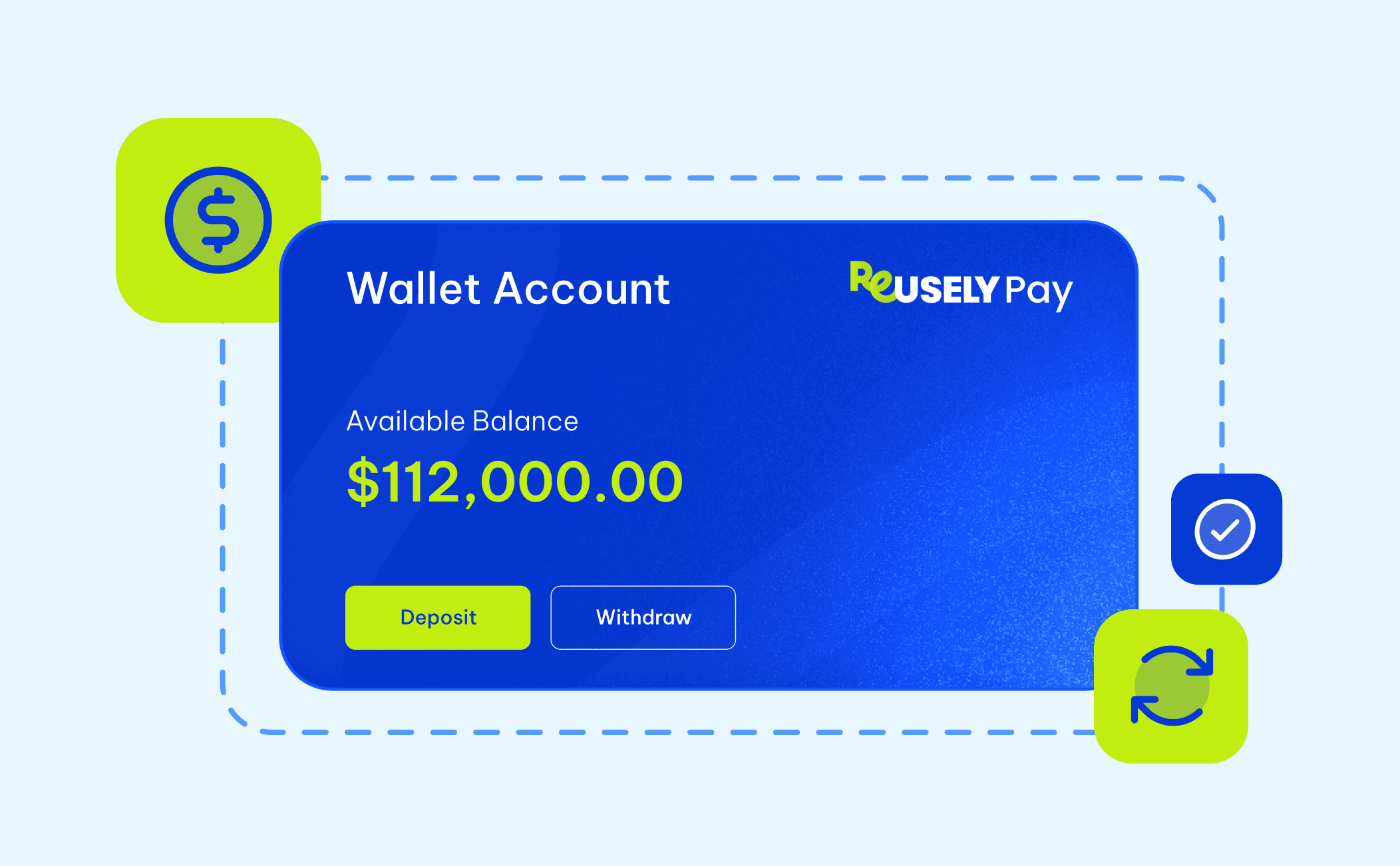
Manual payouts can create repetitive work, payment errors, and disconnected records. Automating the payout step can reduce extra work and keep payouts connected to the rest of the trade-in process.
Automating payouts doesn't mean changing your entire trade-in process. It means removing the busywork between an accepted offer and getting the seller paid. Instead of re-entering information, switching between systems, and manually updating payment records, the information collected during the trade-in can carry over to the payout process.
An automated payout system should do more than send money. Look for a system that keeps payout status visible, links payments to their original trade-ins, and minimizes manual work.
Keep Payout Status Visible
Once a payout is initiated, your team should be able to see whether it's pending, completed, or failed without having to check another system. If a payment fails, that status should be visible early enough for your team to address the issue, rather than finding out when the seller contacts the store.
Better visibility also makes it easier to answer payout questions. Staff can check the transaction status directly, rather than searching through payment records or asking another team member for an update.
Keep Trade-Ins and Payments Connected
The payout shouldn't become a separate transaction that your team has to match back to the original trade-in later. The offer and its payment record should remain linked, giving your team one place to see what was offered, what was paid, and the transaction's current status.
This also makes reconciliation easier. Instead of comparing trade-in records against a separate payment report or bank statement one by one, your team has a clearer record of each trade-in and its corresponding payout.
Keep Manual Work Out of Payouts
Once a seller accepts an offer, their existing information, selected payout method, and agreed-upon payout amount should carry over into the payment process without creating additional data entry work for your team.
The benefit becomes even more noticeable as trade-in volume grows. A few manual payouts may be manageable at one store, but repeating the same process across ten or thirty locations creates a much larger workload. A standardized automated process provides every location with a consistent way to handle payouts without having to build its own routine.
Reducing manual work in the payout process can do more than save your team time. A seller who has a positive experience from offer to payout is more likely to leave a good review and consider your business again the next time they have a device to trade in.
In that sense, payout automation isn't only about reducing manual work. It can also help turn a completed trade-in into a returning customer. The less friction your team has to manage, the smoother the experience and the happier your customers are likely to be.
Reusely Pay, Your Automated Payout Partner
The features above are exactly what Reusely Pay brings into the trade-in workflow. No more switching systems, re-entering information, or manually tracking payouts. Reusely Pay keeps the payout process connected to the rest of your trade-in workflow.
Merchants fund a wallet within Reusely and use the balance to pay sellers via ACH. When sellers claim their payout through the Customer Portal, they provide the information needed to receive the transfer. The payout stays linked to the original trade-in, while pending, completed, and failed statuses can be tracked directly on the platform, so your team always knows where a payment stands.
You can also choose how the payout fee is handled: Merchant Pays or Customer Pays. With Merchant Pays, your business covers the fee, so the seller receives the full amount they were quoted. With Customer Pays, the fee is deducted from the seller's payout, so they receive slightly less than the amount they originally accepted.
For businesses prioritizing the seller experience, Merchant Pays may be the better choice. It protects the amount the seller was promised rather than surprising them with a deduction at the very last step. It's a small cost on your end for a payout experience that meets sellers' expectations.
Reusely Pay is currently available to US-based merchants with a per-payout fee. Visit the Reusely Pay page to explore its features and how automated payouts can fit into your trade-in workflow.






" width="1304.414px"/></svg>)